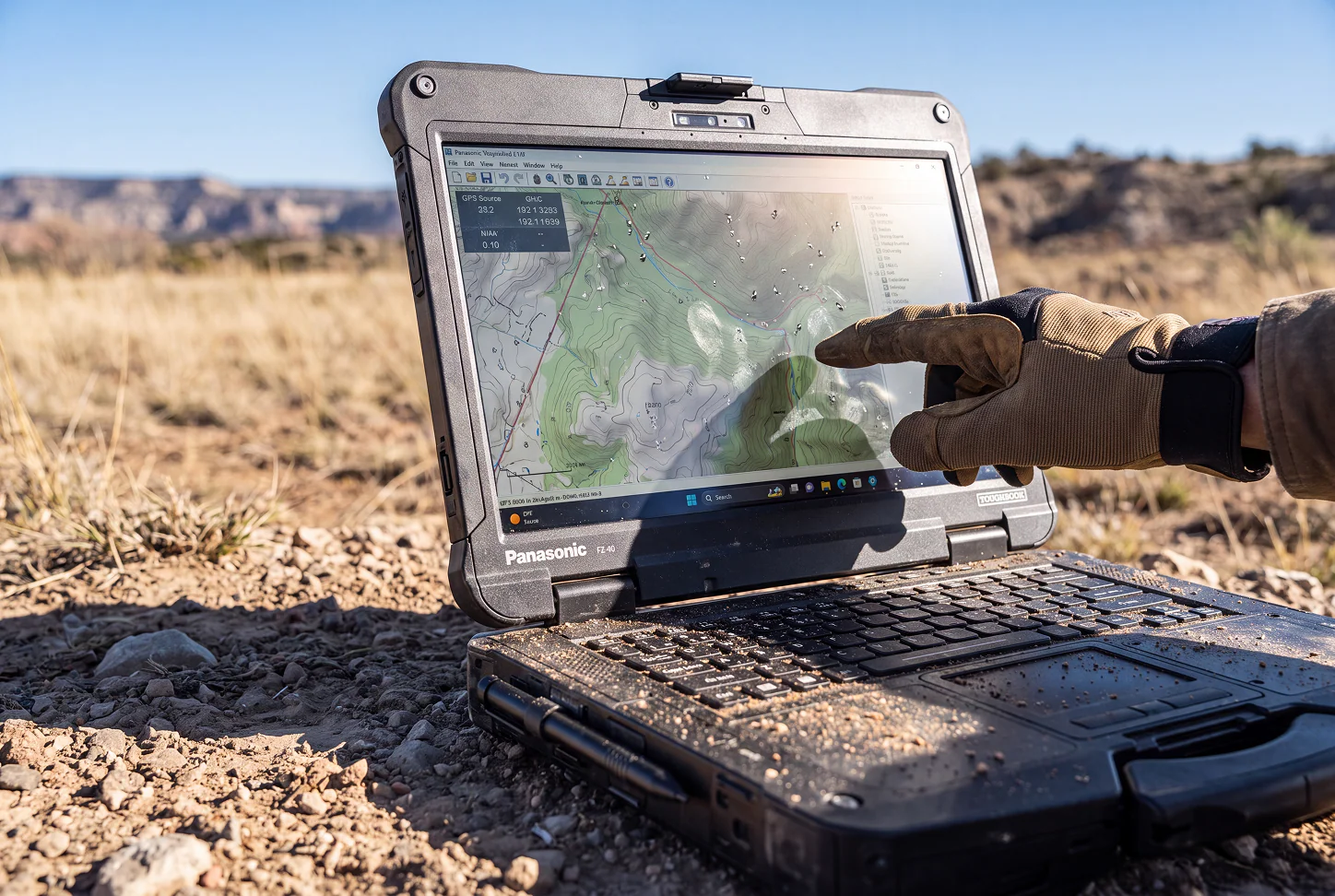
A mobile workforce cannot afford frequent computer failures, unreadable screens, or batteries that run out halfway through a shift. Employees working in construction, utilities, public safety, transportation, and field service encounter conditions that ordinary office computers were not designed to handle. A properly configured toughbook notebook can give these teams dependable access to essential programs, records, maps, and communication tools wherever the work takes them.
Standard Laptops May Not Suit Field Conditions
Consumer and office laptops are generally intended for clean, temperature-controlled settings. Their thin cases, exposed ports, and standard keyboards can be vulnerable when taken into active work areas.
Field employees may expose their devices to:
- Dust, sand, and debris
- Rain, humidity, or accidental spills
- Drops from work surfaces or vehicle seats
- Vibration from trucks and heavy equipment
- Direct sunlight and changing temperatures
- Repeated movement between job locations
A protective carrying case may reduce some risk during transportation, but it does not protect the computer while employees are actively using it. For frequent fieldwork, protection needs to be part of the device itself.
Signs Your Team Needs Rugged Hardware
Not every mobile employee requires a fully rugged computer. However, recurring operational problems can indicate that standard equipment is no longer suitable.
A business should consider rugged notebooks when:
- Laptop damage regularly interrupts fieldwork.
- Employees struggle to read their screens outdoors.
- Devices are frequently used inside moving vehicles.
- Teams work far from charging outlets.
- Computers must connect to specialized field equipment.
- Workers need to enter information while wearing gloves.
- Delayed access to records could affect safety or customer service.
The decision should be based on the real work environment rather than job title alone. Two employees in the same company may need different levels of device protection.
Compare Semi-Rugged and Fully Rugged Models
Toughbook computers are available in different designs and protection levels. Understanding these differences helps buyers avoid purchasing too little or too much hardware for a particular role.
Semi-rugged notebooks can be a good fit for mobile professionals who work between offices, vehicles, warehouses, and moderately demanding outdoor locations. They generally provide stronger cases, reinforced components, and better resistance to drops and spills than ordinary business laptops.
Fully rugged notebooks are made for harsher working conditions. Depending on the model and configuration, they may offer sealed ports, greater resistance to water and dust, stronger impact protection, and wider operating temperature ranges.
Fully rugged devices are often suitable for:
- Police, fire, and emergency medical teams
- Military and government operations
- Utility inspection and maintenance crews
- Mining and energy workers
- Construction and infrastructure projects
- Transportation and fleet operations
Review the manufacturer’s testing details and environmental ratings before deciding which category meets the organization’s needs.
Pay Attention to Outdoor Display Quality
Screen visibility can directly affect how quickly employees complete inspections, enter reports, or review instructions. A display that looks clear indoors may become difficult to read under direct sunlight.
For outdoor work, buyers should consider screen brightness, anti-reflective treatments, viewing angles, and touchscreen support. The correct touchscreen depends on how employees interact with the computer.
Useful touchscreen capabilities may include:
- Operation while wearing work gloves
- Stylus input for notes and signatures
- Wet-screen functionality
- Multi-touch gestures
- Accurate selection of small on-screen controls
A convertible or detachable model may also help employees who need both laptop-style data entry and tablet-style mobility.
Check Battery and Power Options
Field shifts do not always follow an eight-hour office schedule. Employees may spend an entire day in a service area without easy access to a power outlet.
Stated battery-life estimates provide a starting point, but actual performance depends on display brightness, wireless connections, software demands, and temperature. Buyers should assess battery life under conditions that reflect normal field use.
Replaceable or hot-swappable batteries can help extend working time. Vehicle docks and charging cradles may also keep devices powered between job locations.
Confirm Connectivity and Port Requirements
Field computers often need to communicate with equipment that ordinary laptops do not support. Before placing an order, the purchasing team should create a list of required ports, wireless connections, and accessories.
Depending on the job, requirements may include:
- Mobile broadband
- Wi-Fi and Bluetooth
- Dedicated GPS
- Ethernet connections
- USB ports
- Serial ports
- External antenna connections
- Barcode scanners
- Vehicle docks
- Mobile printers
Older diagnostic tools may depend on legacy ports, while newer applications may require reliable cellular access. Confirming compatibility before purchase can prevent delays and added adapter costs.
Match Performance to Business Applications
Durability alone does not make a computer suitable for the job. It must also run the organization’s software at an acceptable speed.
Review the recommended processor, memory, graphics, storage, and operating-system requirements for every essential application. Mapping programs, diagnostic systems, video feeds, engineering software, and large databases may require more computing power than basic reporting tools.
Buyers should also consider future needs. A model with replaceable storage, memory expansion, or configurable ports may remain useful longer as workloads change.
Decide Between New and Refurbished Toughbooks
New Toughbook models can provide current processors, longer remaining support periods, and newer connectivity standards. They may suit organizations planning a long deployment or running demanding software.
Refurbished models can be a practical choice for lighter workloads, backup devices, short-term projects, or departments working within a limited equipment budget. Before buying refurbished hardware, ask about:
- The inspection and refurbishment process
- Battery condition
- Cosmetic grading
- Warranty coverage
- Included charger and accessories
- Operating-system support
- Replacement-part availability
The lowest price should not be the only deciding factor. Device condition, support, compatibility, and expected service life all contribute to the final cost.
Choose Hardware Around the Work
The right rugged notebook should match the environment, applications, working hours, and equipment used by the field team. Organizations should compare protection ratings, screen visibility, battery design, connection options, docks, warranty terms, and repair services before purchasing. To compare new and refurbished Panasonic Toughbook models or request help choosing a suitable configuration, visit Rugged Computing, Inc and find a field computer prepared for the demands of the job.
Equipped with a Bachelor of Information Technology (BIT) degree, Lucas Noah stands out in the digital content creation landscape. His current roles at Creative Outrank LLC and Oceana Express LLC showcase his ability to turn complex technology topics into engaging, easy-to-understand content for their websites.
Lucas specializes in writing technology guides. His work is distinguished by its clarity and relevance, making daunting tech subjects accessible and interesting to a broad audience. His guides are not just informative but are a testament to his skill in bridging the gap between technical expertise and everyday usability.
In addition to his tech-focused articles, Lucas has a keen eye for capturing the essence of his surroundings. His writing transcends technology, as he effortlessly brings to life various observations and experiences in his articles. This versatility not only demonstrates his wide-ranging interests but also his ability to connect with readers on multiple levels.
Lucas Noah’s writing is a fusion of technical acumen and a deep appreciation for the world around him, offering readers a unique and insightful perspective on both technology and life.


